


You filmed it, you timed it (mostly), you posted it… and it barely moved. If your “Say the Word on Beat” TikTok is not getting traction, it usually is not because the trend is dead. It is almost always one of a few fixable issues that stop people from replaying, sharing, or watching to the end.
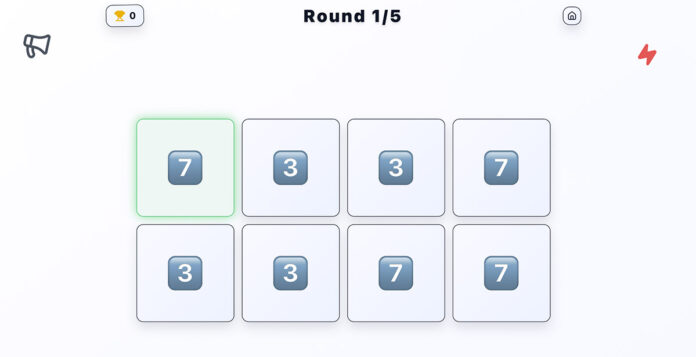
Before you change everything, do one quick test: play your video once with the sound on, then once with the sound off. If it is confusing either way, that is your answer. This format lives or dies on clarity and timing. If you want to sanity-check the “clean” version of how the game should feel, running a quick round on saythewordonbeat.org can help you spot what your video might be missing, like a clearer beat, more readable prompts, or a smoother ramp-up.
Table of Contents
The real goal is not “views”
For this trend, the real goal is replays. People rewatch to test themselves, to see where they messed up, or to compare scores with friends. TikTok has openly shared that recommendations are shaped by how people interact with a video, including signals like watching behavior and engagement. If your clip is not getting those signals, it will not get pushed far. A good reference point is TikTok’s own explanation of the For You system in the Newsroom: How TikTok recommends videos #ForYou.
Reason #1: Your first 2 seconds are not instantly playable
Most “Say the Word on Beat” videos fail at the same moment: the viewer does not understand what to do fast enough. If someone has to read a long caption or wait for you to explain the rules, they scroll.
Fast fix: Put the rule on screen immediately, in simple words. Example:
- “Say it on the beat.”
- “No pauses. Stay on time.”
- “Level 1. Ready?”
Then start the first prompt within one second. The viewer should be playing along before they even think about it.
Reason #2: The beat is not obvious or your audio is slightly off
This trend is basically a timing game. If the beat is faint, muddy, or competing with other sounds, people cannot lock in. If your prompts are not aligned to the beat, it feels “unfair,” and unfair games do not get replayed.
Fast fixes:
- Choose a sound where the beat is clear and consistent.
- Keep background noise low so the beat stays dominant.
- Trim the sound so the beat drop starts exactly where your prompts start.
If you need a quick refresher on adjusting sound inside the app, TikTok’s support page on editing and adding or replacing sound is genuinely useful: Editing TikTok videos and photos.
Reason #3: Your prompts are hard to read on a phone
People watch TikTok on small screens, often while moving. If your text is tiny, low contrast, or placed where the UI covers it, your challenge becomes frustrating instead of fun.
Fast fix checklist:
- Use big text with strong contrast.
- Keep prompts centered and away from the bottom UI area.
- Show one prompt at a time. No clutter.
Also, avoid fancy fonts that look cool but slow reading. In this format, reading speed is everything.
Reason #4: Your difficulty curve is wrong
If you start too hard, people fail instantly and scroll. If you stay too easy, there is no payoff. The sweet spot is a smooth ramp-up that makes viewers think, “I can get this,” and then challenges them just enough to trigger a replay.
Fast fix: Structure it like a mini game:
- Level 1: 6 to 8 easy prompts to build confidence.
- Level 2: Slightly faster, or slightly trickier words.
- Level 3: The speed jump or the “gotcha” moment.
If you want inspiration for how creators package trends into repeatable formats, TikTok’s Creative Center is a helpful place to browse trending hashtags and creative patterns without guessing: TikTok Creative Center Trend Discovery.
Reason #5: Your video feels like “content,” not a moment
The highest-performing versions often feel casual and real. A clean template is great, but if it feels sterile, it loses the fun. People love watching genuine reactions: laughing, panicking, restarting, arguing about whether they were on beat.
Fast fix: If you are comfortable being on camera, film your face reacting while the prompts play. If you are not, film someone else. The reaction is the entertainment, and the game is the excuse.
Reason #6: Your video is too long (or the “game” starts too late)
With this trend, people are not waiting around. If the first prompt starts at second 4 or 5, you are leaking viewers before the challenge even begins. Most high-performing “Say the Word on Beat” clips feel immediate. You hit play and you are already playing.
Fast fix: Trim anything that is not the game. No long “wait for it,” no slow intro, no explaining. If you want context, put it as a single line of text while the first easy prompts start rolling.
Reason #7: You are missing a “score moment,” so viewers do not share it
Sharing happens when a video gives people a reason to tag a friend. The easiest reason is competition. If your clip does not clearly invite a score, it becomes passive entertainment instead of a challenge.
Fast fixes that take 2 minutes:
- Add “Comment your score” on screen around the middle.
- Use simple structure: “Level 1 (8 words), Level 2 (8 words), Level 3 (8 words).”
- End with a clear finish like: “How many did you get?”
That small change increases comments, which is one of the easiest ways to make the video feel alive instead of “posted and done.”
Reason #8: Your on-screen text is in the wrong place (TikTok UI is covering it)
This is more common than people realize. You may think the prompts look fine in your editor, then TikTok’s buttons and caption area cover the most important parts once it is uploaded. If viewers cannot see the prompt, they cannot play. If they cannot play, they do not replay.
Fast fix: Keep prompts centered and give extra breathing room at the bottom and on the right side. TikTok’s own performance-oriented creative guidance calls out keeping key elements visible within the UI safe zone, especially for vertical video. You will see that mentioned in TikTok’s Business Help Center creative best practices: Creative best practices for performance ads.
You do not need to be perfect with pixels. Just avoid putting prompts near the edges where the UI lives.
Reason #9: The prompts are not “scroll-stopping” enough
Some prompt sets are just too bland. If it is “dog, cat, bird,” people will play once and move on. The best prompt sets create tiny moments of surprise or panic. Not confusing, just slightly spicy.
Fast fix: Upgrade the prompt design with one of these simple patterns:
- Similar words: “beach, peach, bleach” (the brain trips).
- Category flips: start with foods, then suddenly switch to brands.
- One “gotcha” prompt: a word that looks simple but slows speech (example: “specific,” “rural,” “sixths”).
The goal is not to trick people unfairly. The goal is to create that near-miss feeling that makes viewers want a rematch.
Reason #10: You are not making it feel native to TikTok
“TikTok-native” does not mean messy. It means familiar. Videos perform better when they feel like something you would see from a real person, not a polished advert. For this trend, the most reliable way to do that is to show a human face reacting, even if it is only in a small window.
Fast fix: Film a quick reaction layer. You can:
- Duet a template and keep your face visible.
- Record your screen and put your face cam on top.
- Film a friend or partner playing and reacting.
That human element is what makes people stay for the “moment,” not just the mechanic.
A simple “post and iterate” method that fixes most videos in 1 to 2 uploads
If you try to fix everything at once, you will never know what worked. Instead, change one thing per upload and track the result. The two most meaningful signals for this trend are:
- Did people watch to the end?
- Did people replay?
TikTok’s Ads Manager has a Video Insights feature, and even if you are posting organically, the mindset is the same: look at what viewers did and let that guide your next creative. TikTok’s help article on using video insights is a good reference for how they think about diagnosing creative performance: Best practices for video insights.
Fast iteration plan:
- Upload version A with cleaner prompts and an immediate start.
- Upload version B with the same prompts but a better difficulty ramp.
- Upload version C with the same structure but a face reaction layer.
After each one, keep what improved performance and throw away what did not.
Quick troubleshooting: pick the symptom and apply the fix
- Low views: your first 2 seconds are not clear enough. Add an on-screen rule and start the first prompt instantly.
- People watch but do not comment: add “comment your score” and end with a clear finish question.
- People comment but do not share: add a direct tag line like “tag someone who will fail Level 3.”
- People say it is unfair: your prompts are not synced to the beat or the beat is not clear. Fix audio first.
The fastest way to get a “hit” version
Make it instantly playable, keep the beat obvious, ramp difficulty smoothly, and give viewers a reason to replay and tag friends. Once you nail those, the rest is just variations. One good template can turn into ten posts with different categories, and the best part is you do not need to reinvent the format each time.
If you want a practical baseline, play a quick round yourself to feel what “clean timing + readable prompts” actually feels like, then copy those principles into your edit. Your next upload should look and feel like a game people can jump into in one second, because that is exactly what this trend rewards.